
align_timestamped solves this by buffering messages and matching them within a time tolerance.

Basic Usage
Below we set up replay of real camera and lidar data from the Unitree Go2 robot. You can check it if you’re interested. Streams would normally come from an actual robot into your module viaIn inputs. detection/module3D.py is a good example of this.
Assume we have them. Let’s align them.
skip session=align
skip session=align output=assets/alignment_timeline.png
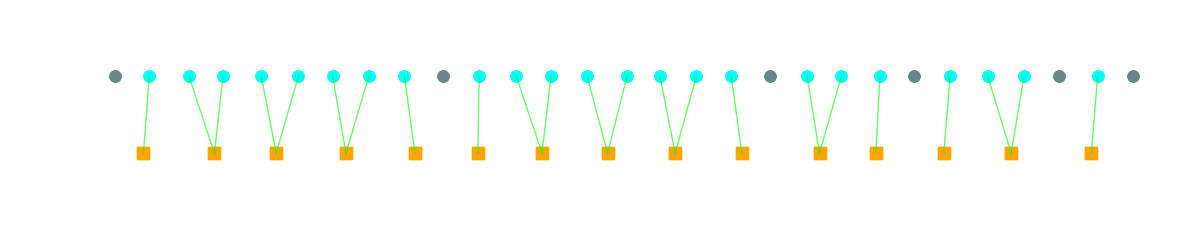
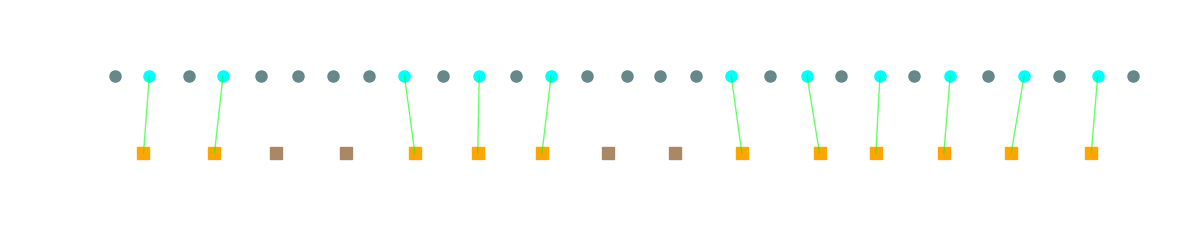 If we loosen up our match tolerance, we might get multiple pairs matching the same lidar frame.
skip session=align
skip session=align output=assets/alignment_timeline2.png
Combine Frame Alignment with a Quality Filter
More on quality filtering here.skip session=align
skip session=align output=assets/alignment_timeline3.png
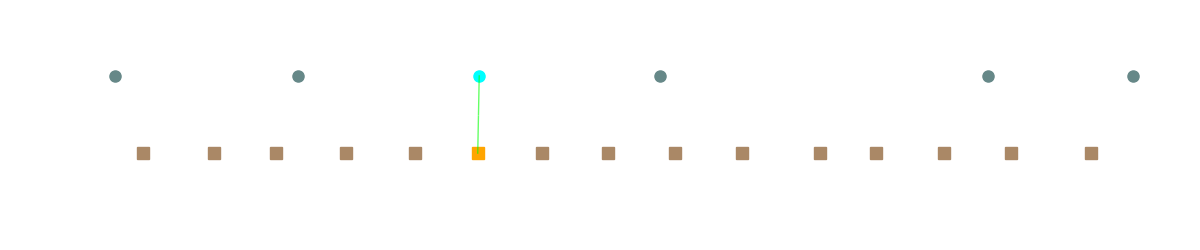 We are very picky but data is high quality. Best frame, with closest lidar match in this window.
How It Works
The primary stream (first argument) drives emissions. When a primary message arrives:- Immediate match: If matching secondaries already exist in buffers, emit immediately
- Deferred match: If secondaries are missing, buffer the primary and wait
- Add to buffer for future primary matches
- Check buffered primaries - if this completes a match, emit

Parameters
Usage in Modules
Every moduleIn port exposes an .observable() method that returns a backpressured stream of incoming messages. This makes it easy to align inputs from multiple sensors.
From detection/module3D.py, projecting 2D detections into 3D pointclouds:
skip
buffer_size=20.0 accounts for variable ML inference times.